 Mirrord
For Windows, macOS and Linux
Your phones and computers, on one screen.
Mirror iPhones, Android phones and other computers into one window. Draw on them live, record them, and turn the result into a polished video.
Works with
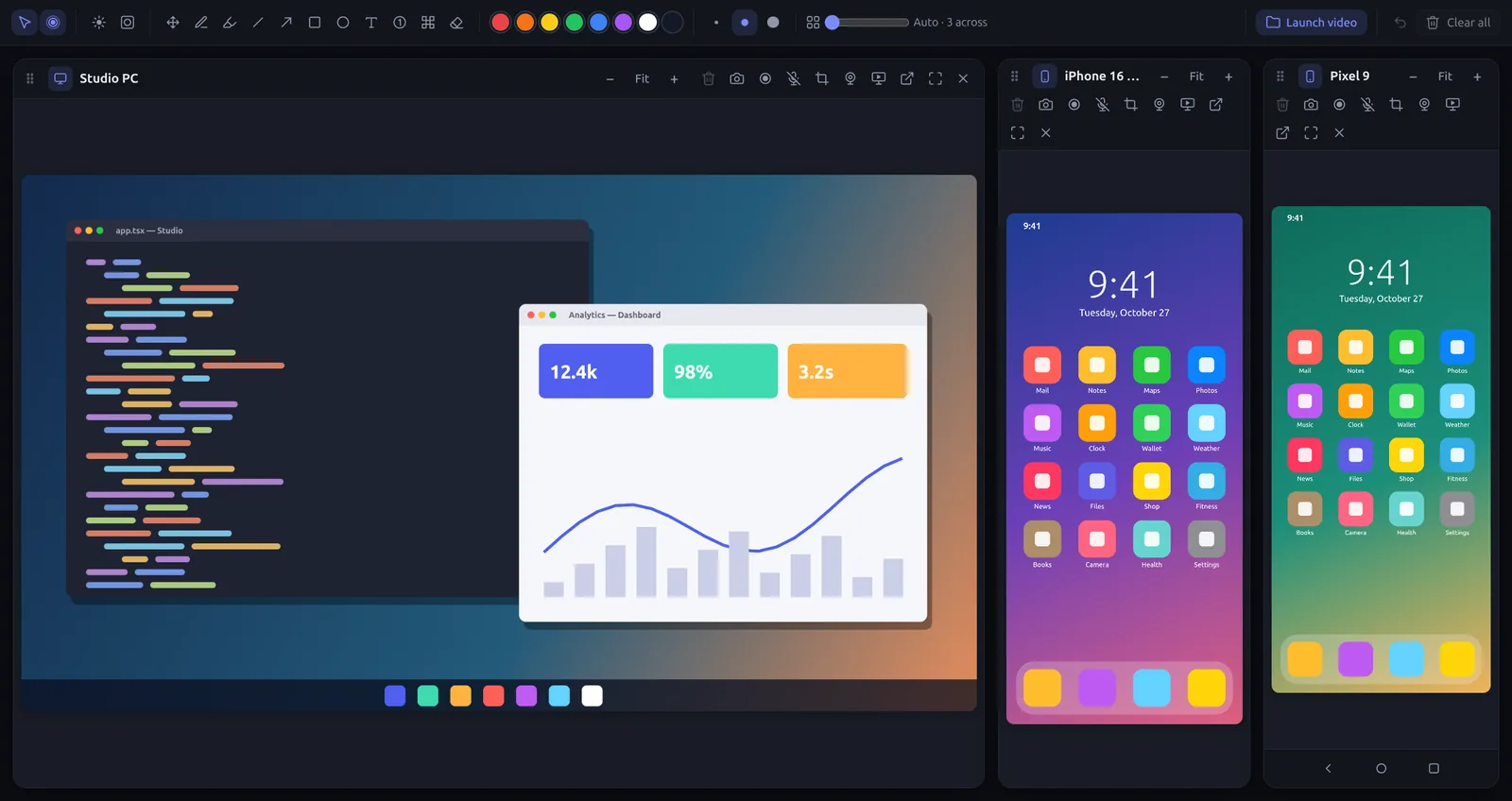
Everything in one window
Show it. Mark it up. Record it.
Made for demos, support, teaching and app reviews: wherever you need to show a phone or a computer to someone else.
iPhone and Android
iPhones and iPads with AirPlay, Android phones with the Mirrord app over Wi-Fi, or over USB with full control.
Other computers too
Bring in a screen, an app window or a region of this computer, or another computer running Mirrord.
Draw on it live
Pens, arrows, boxes, text, numbered steps, a spotlight and a laser, right on the mirrored screen.
Screenshots and recordings
Capture any screen with your drawings and sound, and your microphone if you like.
A real editor
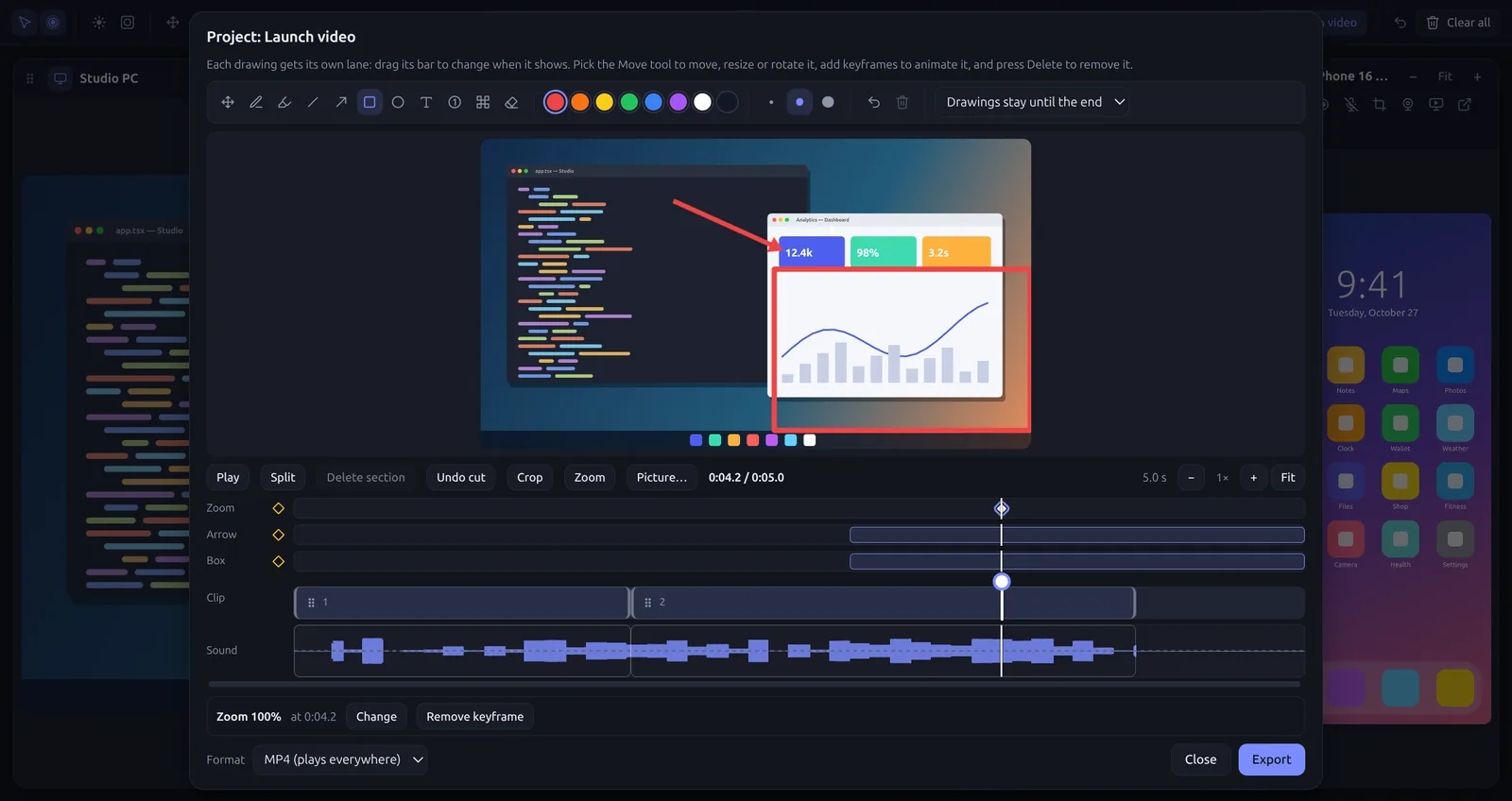
Cut, move and trim sections, zoom in with keyframes, animate drawings, and export MP4, WebM or GIF.
Side by side, or on top
Put a phone beside a computer screen, or over it, and record them as one picture.
Control from the computer
Click, scroll and type on your phone or another computer with your mouse and keyboard.
Private by design
Everything stays on your network, encrypted. No accounts, no cloud, nothing to sign up for.
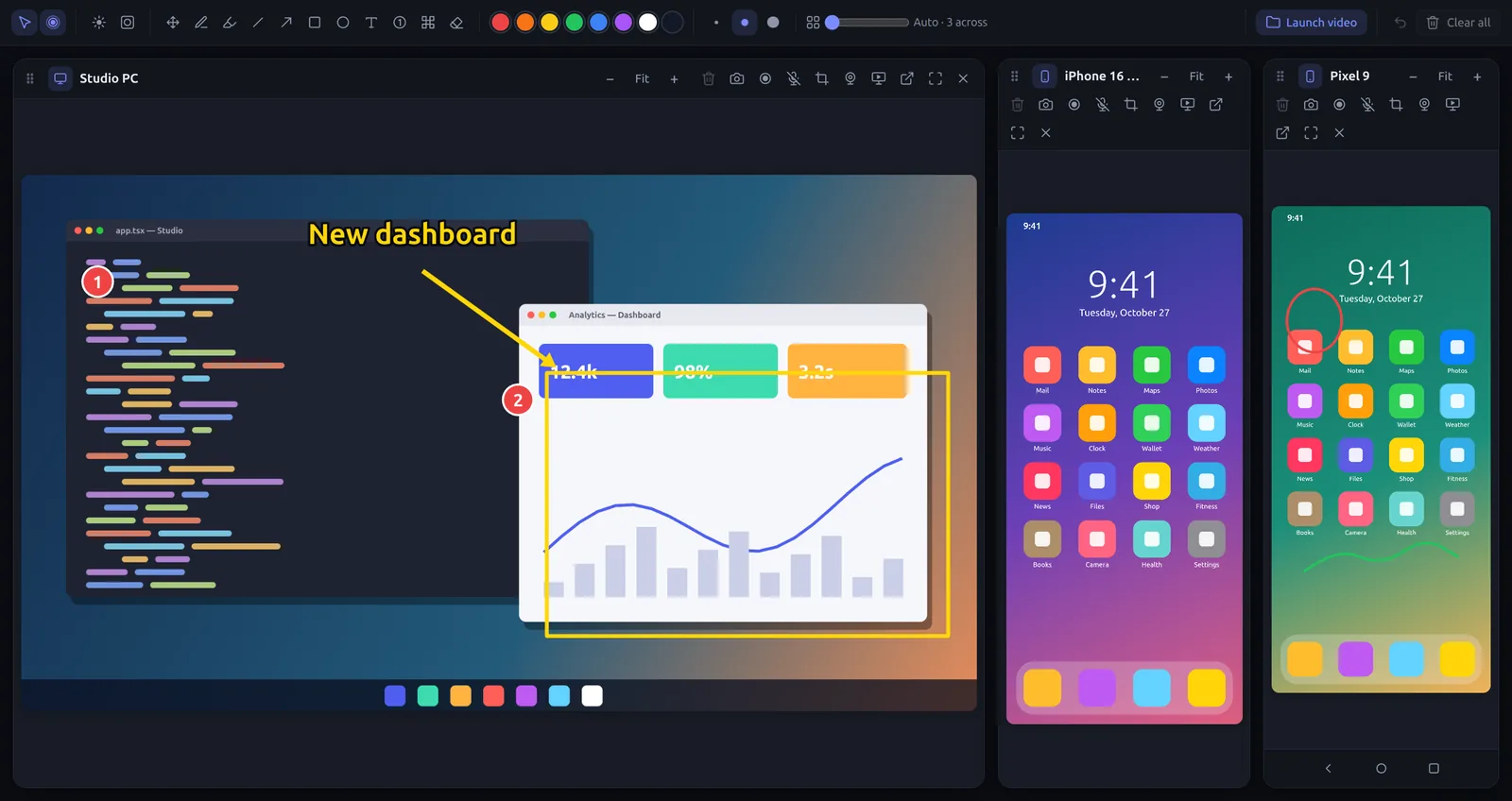
Draw on any screen
Point at exactly what matters.
Arrows, boxes, text and numbered steps stay where you put them, even on a live screen. Shift-click to keep using the phone without leaving the drawing tools.
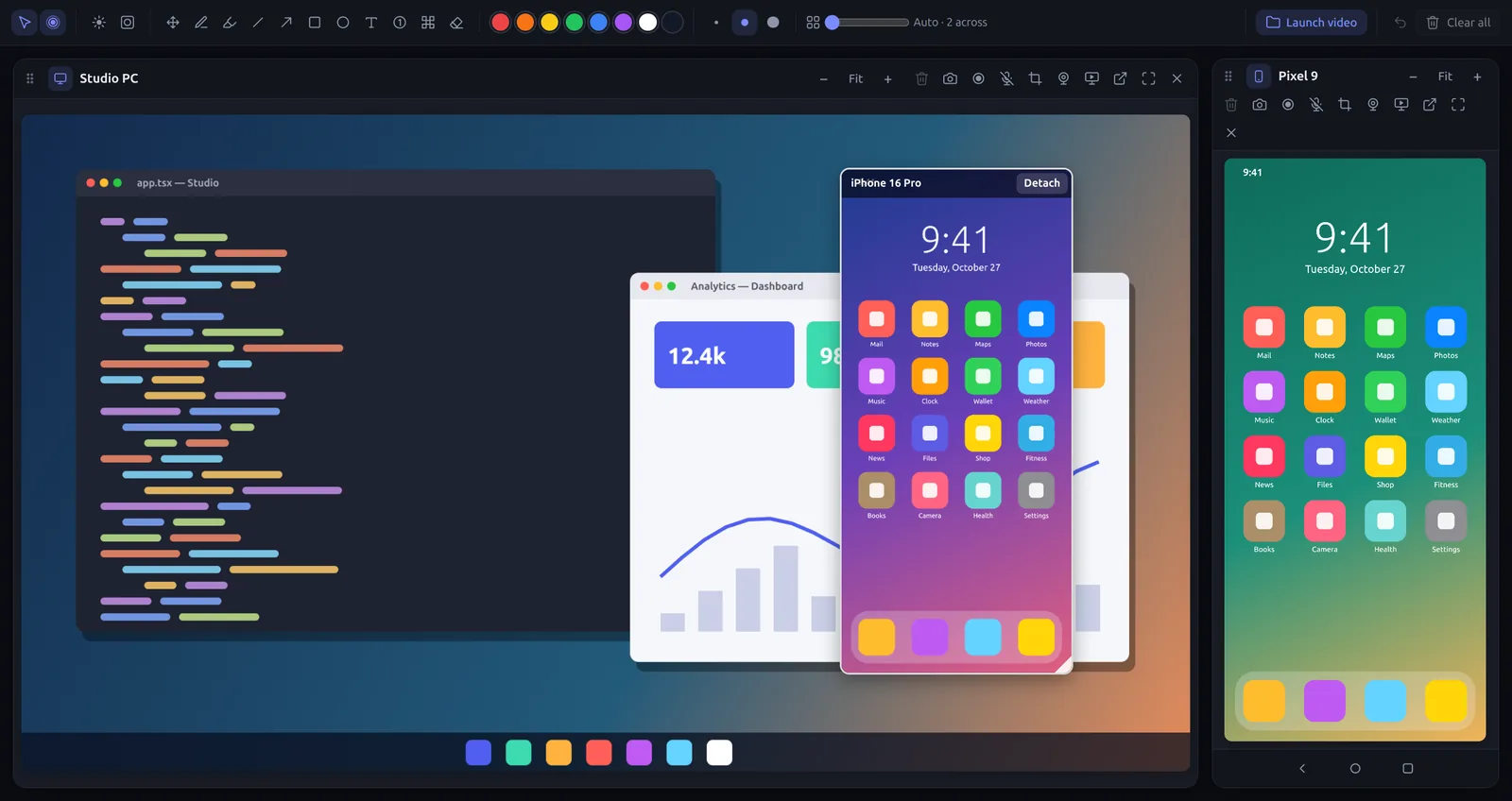
Side by side or on top
Phone and computer, in one picture.
Drag a phone onto a computer screen to overlay it, or beside it to combine them. Drawings, screenshots and recordings cover all of it.
Record and edit
From recording to finished video.
Split, move and trim sections, zoom in with keyframes, and animate your drawings. Record several clips into a project, then edit them together.
Download
Get Mirrord, free.
The latest version for Windows, macOS and Linux.
Mirrord runs on your computer. Open this page there, or pick your computer below:
All downloads
Mirrord for Android
Mirror your Android phone over Wi-Fi, no cable or developer options needed.
Coming soon to Google Play. Download the APK
iPhone and iPad
Nothing to install: open Control Center, tap Screen Mirroring and choose Mirrord.
A Mirrord app for iPhone is planned.
Mirrord Pro
$29 once. Yours for good.
Up to 6 screens at once, unlimited recording, the full editor, overlays, side by side, camera and crop. One purchase, 2 computers, 14-day refund.
Questions
Is Mirrord free?
Yes. The free version mirrors one screen at a time, with drawing, screenshots and recordings up to 15 minutes. Mirrord Pro ($29, one time) adds up to 6 screens at once, unlimited recording and the full editor.
Do I need a cable?
No. iPhones use AirPlay, and Android phones use the Mirrord app over the same Wi-Fi. A USB cable works for Android too, if you want mouse and keyboard control without the app.
Does my screen go through the internet?
No. Your phone talks directly to your computer on your own network, and the connection is encrypted. Nothing passes through our servers.
Which computers does it run on?
Windows 10 and 11, macOS on Apple silicon and Intel, and Linux (AppImage or .deb).
Can I use Pro on more than one computer?
Yes: one purchase covers 2 computers. You can move it to another computer from your account page.
What if it isn’t for me?
Get a full refund within 14 days of buying Pro, no questions asked.